Printing the PDF with your viewer
Your approved request can be downloaded as a PDF document, which you must print yourself using your own PDF viewer.
To make sure your request is printed correctly on the blank forms, there are 2 things to pay attention to:
- Make sure that when printing in your PDF viewer you select the correct paper size A4. This is almost always the default, but it sometimes ends up on size Letter due to the wrong setting on your printer. In that case, contact your system administrator or make sure yourself that your printer's default size is set to A4.
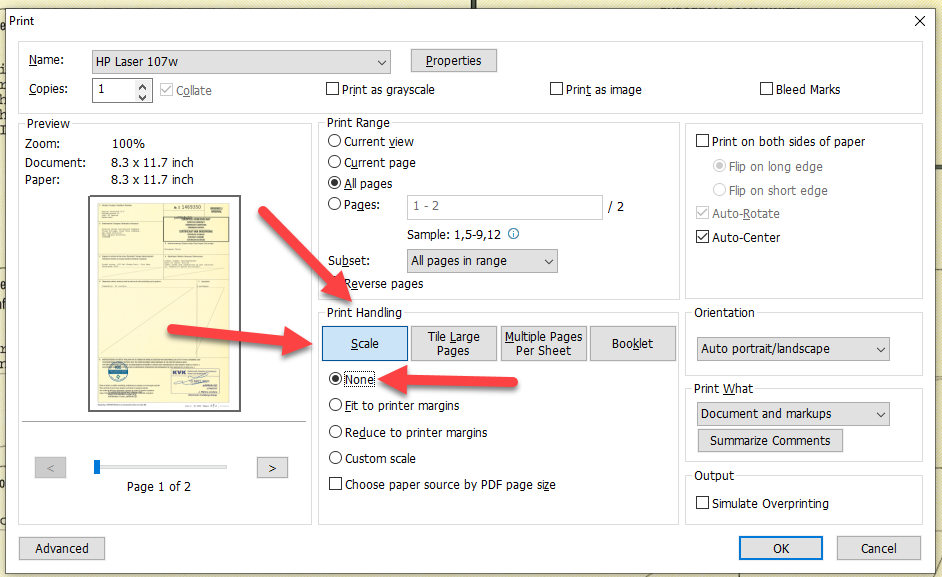
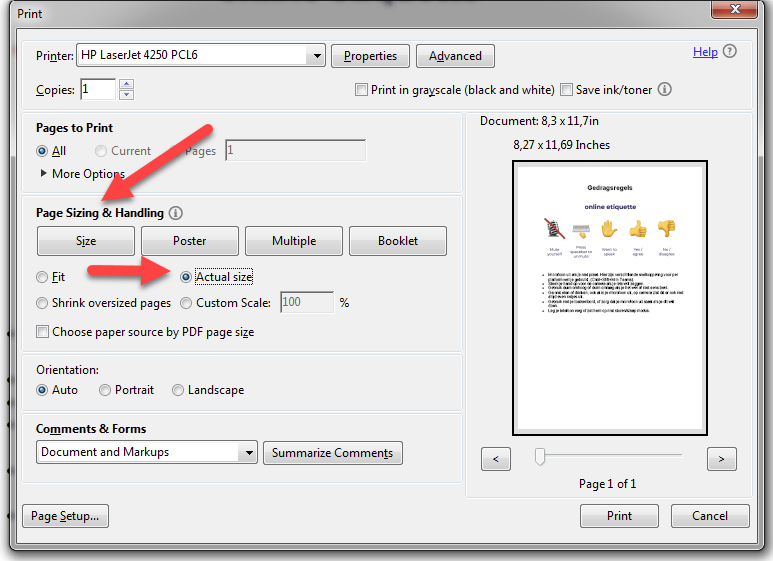
- Make sure that when printing in your PDF viewer the scaling and margins are not adjusted.
For example, in Adobe Reader you should check Page Sizing & Handling:
And in Foxit Reader you should check Print Handling: